The same analysis as the web app, in your shell. An interactive session for exploring, one-shot output for scripts and CI.
$ npm install -g github:iammdzaidalam/waypoint-cliNode 20.12+, zero dependencies. Then run waypoint, or read the source.
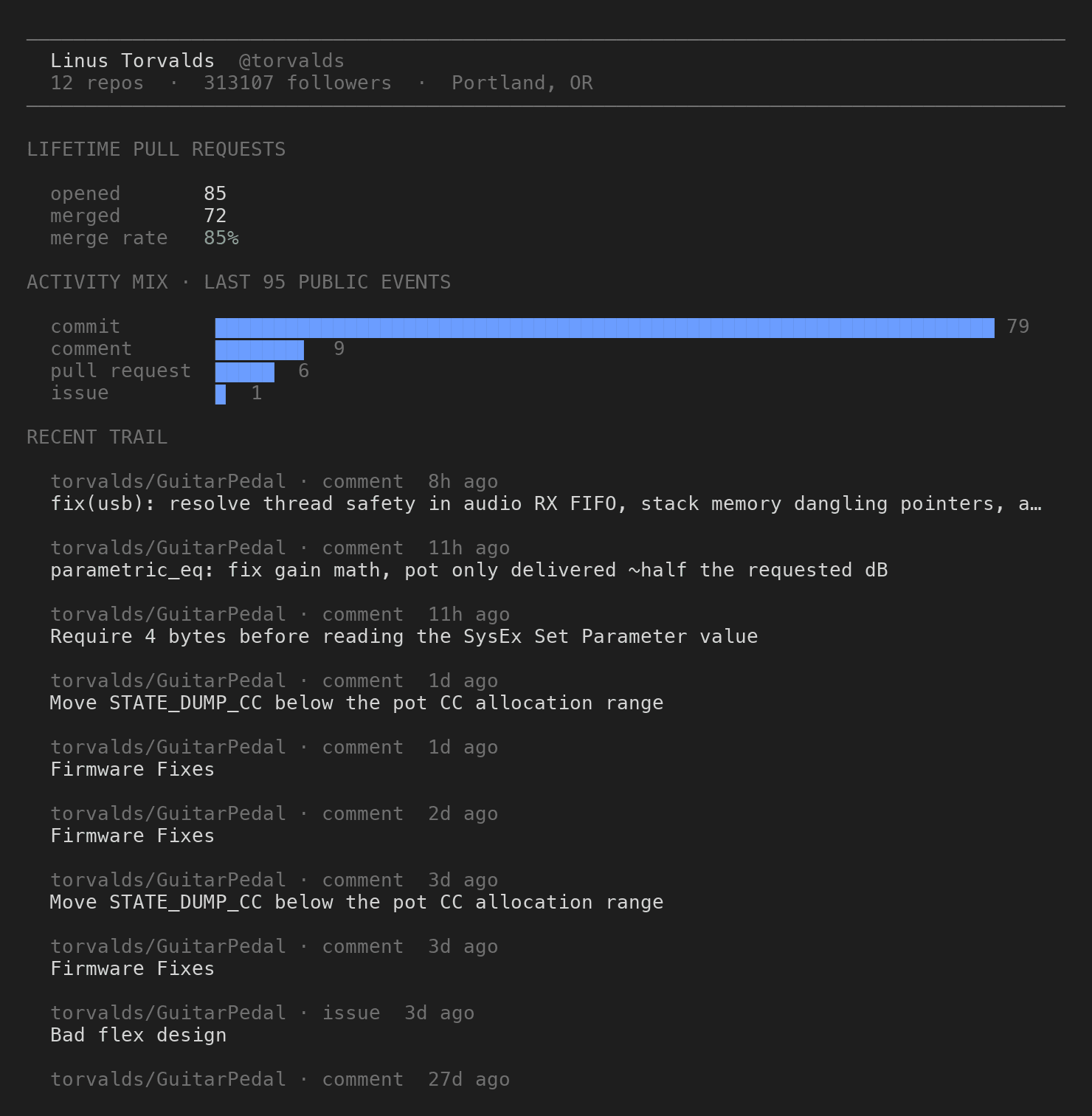
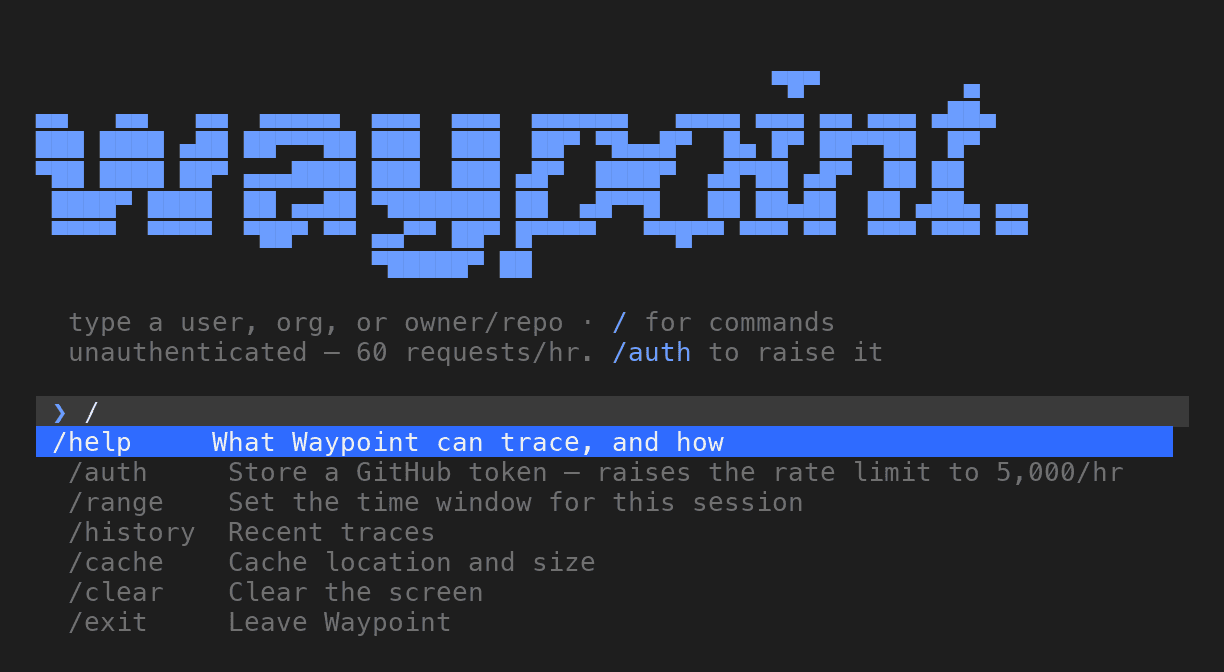
Run waypoint in your terminal and it opens a session, bare or with a target. Type more targets and press Enter, or press / for a command palette. Pipe it or add --json and it prints once and exits, which is what makes it scriptable.

The target type is detected automatically. No subcommands to remember.
Lifetime pull requests, merge rate, the repositories they land in, and a recent activity trail.
❯ waypoint torvaldsMerge rate on decided PRs, average days to merge, label distribution, and top contributors.
❯ waypoint vercel/next.jsMost recently active repos and the people who genuinely keep them moving.
❯ waypoint vercelMachine-readable output for scripts, CI, and spreadsheets, with no prompt in the way.
❯ waypoint vercel/next.js --json | jqThe details that make it feel local rather than like a web request in a costume.
Argument parsing, colour, and HTTP all from the Node standard library.
A repeat trace makes no network calls and returns in under a tenth of a second.
A 304 costs no rate limit, so repeated lookups are close to free.
waypoint auth raises the limit from 60 to 5,000 requests an hour.
The target type is detected automatically. A slash means a repository.
Pipe a summary straight into jq or a spreadsheet with --json or --csv.
Colour and progress go to a TTY only. NO_COLOR is honoured.
A terminal opens a session with a slash palette. Pipe it or add --json to print once and exit.
Every trace takes the same handful of options.
--range 14|30|90|180|alltime window in days (default 90)--branch <name>repository traces only--json / --csvmachine-readable output--out <file>write the export to a file--no-cacheignore the local cache--no-colordisable colourRun npm install -g github:iammdzaidalam/waypoint-cli. It needs Node 20.12 or newer and pulls in no runtime dependencies. Then run waypoint from anywhere.
No. Unauthenticated GitHub allows 60 requests an hour and a trace spends around five, so you can use it straight away. Running waypoint auth stores a token and raises the limit to 5,000. No scopes are needed for public data, and the token is stored locally with 0600 permissions and never printed.
Running waypoint in a terminal opens a session, whether you run it bare or with a target. Bare shows a prompt; a target runs that trace first and leaves you in the session to run more. Press / for a command palette with auth, history, range, cache, and more. Output stays one-shot and scriptable when you pipe it or pass --json, --csv, or --out.
Yes. The CLI and the web app share the same analysis logic, including how merge rate is computed over decided pull requests rather than all of them, so the two agree.
Yes. Pass --json or --csv for machine output, set GITHUB_TOKEN in the environment to authenticate without storing anything on disk, and rely on the exit codes: 0 success, 1 runtime failure, 2 usage error. Colour is suppressed automatically when the output is not a terminal.
One command, no dependencies, works offline once cached. Install it and run waypoint.
$ npm install -g github:iammdzaidalam/waypoint-cliView source